8i | 9i | 10g | 11g | 12c | 13c | 18c | 19c | 21c | 23c | Misc | PL/SQL | SQL | RAC | WebLogic | Linux
Scheduler Enhancements in Oracle Database 11g Release 1
Oracle 10g Release 1 introduced the new Oracle scheduler and Oracle 10g Release 2 enhanced it. Now Oracle 11g adds more functionality to the Oracle scheduler.
- Remote External Jobs
- Detached Jobs
- Lightweight Jobs
- PUT_FILE
- Scheduler Support for Data Guard
- Oracle Enterprise Manager
- Scheduler Features List
Related articles.
- All Scheduler Articles
- Scheduler Quick Links : 10gR1, 10gR2, 11gR1, 11gR2, 12cR1, 12cR2, 18c, 19c, 21c
Remote External Jobs
Oracle 10g introduced the concept of external jobs. Oracle 11g takes this one step further by allowing the database to schedule external jobs which run on a remote server. The remote server doesn't have to have an Oracle client or database installation, but it must have an Oracle Scheduler Agent installation. This agent is responsible for executing the jobs and communicating with the database server that initiated the job.
For a user to create local or remote external jobs, they must be granted the CREATE JOB and CREATE EXTERNAL JOB privileges.
CONN / AS SYSDBA
GRANT CREATE JOB TO test;
GRANT CREATE EXTERNAL JOB To test;
Make sure the scheduler's default timezone is set correctly.
BEGIN
  DBMS_SCHEDULER.set_scheduler_attribute(
    attribute => 'default_timezone',
    value     => 'Europe/London');
END;
/
Database Configuration
Before we can create a remote external job we need to do some configuration on the database server. First we must check XML DB is installed and has the HTTP port set. If the following command returns an "object does not exist" error, XML DB is not installed on the database and must be installed before you proceed.
SQL> CONN / AS SYSDBA
Connected.
SQL> DESC RESOURCE_VIEW
If XML DB is already installed, check the HTTP port has been set using the GETHTTPPORT function in the DBMS_XDB package.
CONN / AS SYSDBA
SELECT DBMS_XDB.gethttpport FROM dual;

GETHTTPPORT
-----------
       8080

1 row selected.

SQL>
If it is not set, set it using the SETHTTPPORT procedure.
CONN / AS SYSDBA
EXEC DBMS_XDB.sethttpport(8080);
Run the "prvtrsch.plb" script, located in the "$ORACLE_HOME/rdbms/admin" directory.
CONN / AS SYSDBA
@?/rdbms/admin/prvtrsch.plb
Finally, set a password for the scheduler agent registration using the DBMS_SCHEDULER package.
EXEC DBMS_SCHEDULER.set_agent_registration_pass('agent_passwd');
Oracle Scheduler Agent Installation
Once the server configuration is complete, we need to install the Oracle Scheduler Agent on the machine we wish to run remote jobs against. The agent software is on the Transparent Gateways disk available with the database software downloads from Oracle Technology Network. After running the installer, proceed with the following installation.
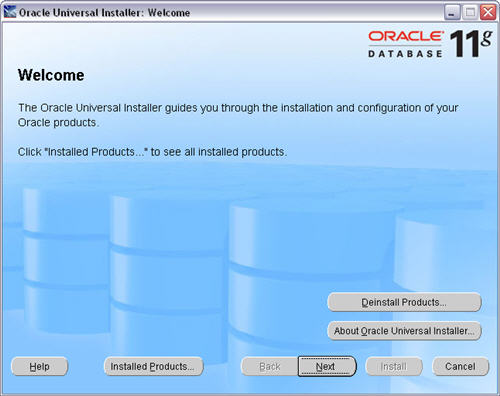
On the "Welcome" screen, click the "Next" button.
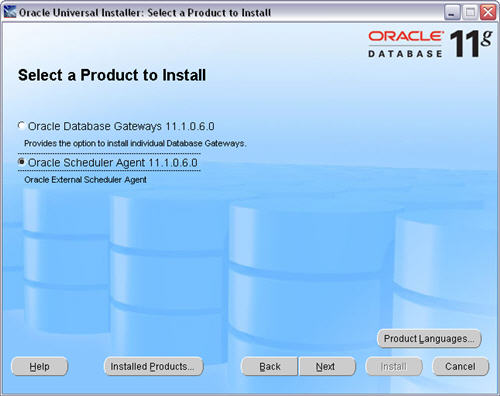
Select the "Oracle Scheduler Agent" option and click the "Next" button.
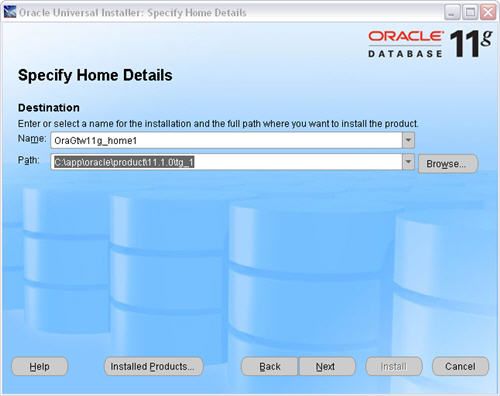
Enter the appropriate name and path for the Oracle home, then click the "Next" button.
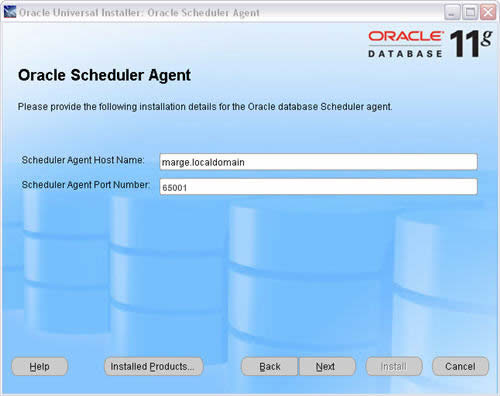
Enter the hostname and port for the agent installation, then click the "Next" button. This is the hostname for the machine running the agent, not the database server. The port should be an unused port greater than 1023.
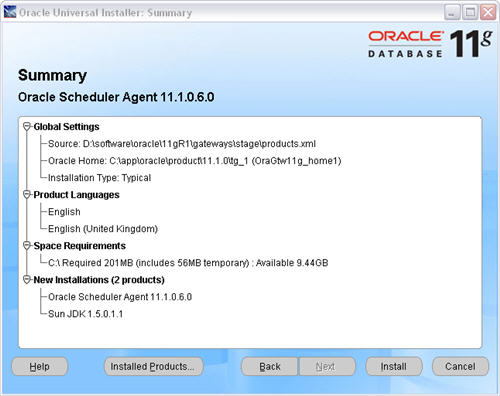
Click the "Install" button on the "Summary" screen.
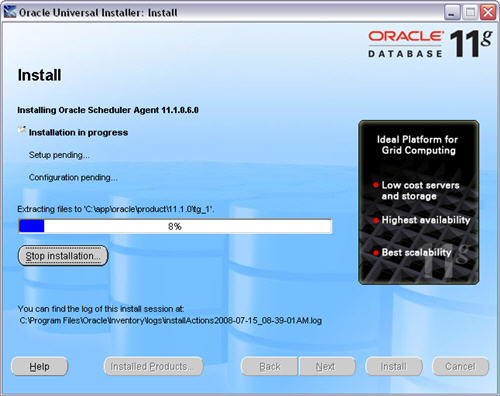
Wait while the installation takes place.
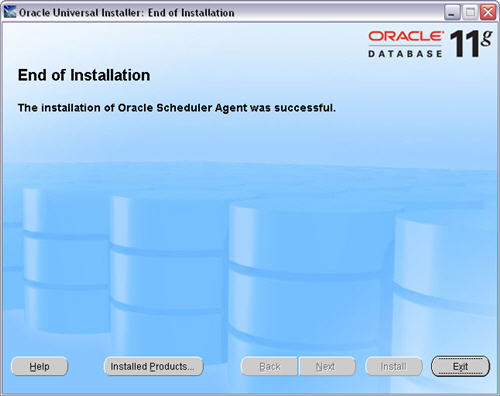
Once the installation is complete, click the "Exit" button and "OK" the subsequent message dialog.
Once the agent installation is complete, register it against any databases wishing to run external jobs on this machine using the schagent utility, passing in the hostname of the database and the HTTP port of XML DB. The schagent utility is present in the "$ORACLE_HOME/bin" directory of the agent installation.
C:\>cd C:\app\oracle\product\11.1.0\tg_1\bin

C:\app\oracle\product\11.1.0\tg_1\bin>schagent -registerdatabase bart.localdomain 8080
Agent Registration Password ? *************
*

Oracle Scheduler Agent Registration
Agent Registration Successful!

C:\app\oracle\product\11.1.0\tg_1\bin>
The schagent utility is also used to stop and start the agent on UNIX style platforms.
$ schagent -stop
$ schagent -start
On Windows platforms, simply stop and start the <home-name>_OracleSchedulerExecutionAgent service.
The agent configuration information is stored in the "$ORACLE_HOME/schagent.conf" file.
Credentials
In Oracle 12c the credentials management has been move to the DBMS_CREDENTIAL package, but the usage is the same as that shown below.
Credentials are database objects that hold a username/password pair for authenticating local and remote external jobs. They are created using the CREATE_CREDENTIAL procedure in the DBMS_SCHEDULER package. The procedure also allows you to specify the Windows domain for remote external jobs executed against a Windows server. Credentials are owned by SYS.
CONN test/test

BEGIN
  -- Basic credential.
  DBMS_SCHEDULER.create_credential(
    credential_name => 'TIM_HALL_CREDENTIAL',
    username        => 'tim_hall',
    password        => 'password');

  -- Credential including Windows domain.
  DBMS_SCHEDULER.create_credential(
    credential_name => 'TIM_HALL_WIN_CREDENTIAL',
    username        => 'tim_hall',
    password        => 'password',
    windows_domain  => 'localdomain');
END;
/
Information about credentials is displayed using the [DBA|ALL|USER]_SCHEDULER_CREDENTIALS views.
COLUMN credential_name FORMAT A25
COLUMN username FORMAT A20
COLUMN windows_domain FORMAT A20

SELECT credential_name,
       username,
       windows_domain
FROM   user_scheduler_credentials
ORDER BY credential_name;


CREDENTIAL_NAME           USERNAME             WINDOWS_DOMAIN
------------------------- -------------------- --------------------
TIM_HALL_CREDENTIAL       tim_hall
TIM_HALL_WIN_CREDENTIAL   tim_hall             LOCALDOMAIN

2 rows selected.

SQL>
Credentials are dropped using the DROP_CREDENTIAL procedure.
EXEC DBMS_SCHEDULER.drop_credential('TIM_HALL_CREDENTIAL');
EXEC DBMS_SCHEDULER.drop_credential('TIM_HALL_WIN_CREDENTIAL');
For backwards compatibility, it is not mandatory to specify credentials for local external jobs. If no credentials are set the default users are:
- Jobs in the SYS schema run as the user who installed the Oracle software.
- The default user for non-SYS jobs on UNIX platforms is specified by the
run-userandrun-groupattributes in the "$ORACLE_HOME/rdbms/admin/externaljob.ora" file. - The default user for non-SYS jobs in Windows platforms is the user running the "OracleJobSchedulerSID" Windows service.
Oracle recommend using credentials for all local and remote external jobs as the default values may be deprecated in future.
The operating system user specified by the credential must have the necessary privileges to perform the required action. On Windows platforms this must include the "Log on as batch job" security policy, applied using the "Local Security Policies" dialog.
Creating Remote External Jobs
Remote external jobs are similar to local external jobs. Both require a JOB_TYPE, or PROGRAM_TYPE for program definitions, set to 'EXECUTABLE'. Commands and batch files that require parameters must set the parameters using the SET_JOB_ARGUMENT_VALUE procedure. The following job performs a directory listing of the "/tmp" directory. Notice how the directory name is specified as a parameter. In addition to setting the CREDENTIAL_NAME attribute, the job also includes the DESTINATION attribute, signifying this is a remote external job. This attribute is set to the "hostname:port" of the scheduler agent. If the DESTINATION attribute is not set, or set to "localhost", the job runs as a local external job.
BEGIN
  -- UNIX
  DBMS_SCHEDULER.create_job(
    job_name             => 'unix_command_job',
    job_type             => 'EXECUTABLE',
    number_of_arguments  => 1,
    job_action           => '/bin/ls',
    auto_drop            => FALSE,
    enabled              => FALSE);

  DBMS_SCHEDULER.set_job_argument_value('unix_command_job',1,'/tmp');

  DBMS_SCHEDULER.set_attribute('unix_command_job', 'credential_name', 'TIM_HALL_CREDENTIAL');
  DBMS_SCHEDULER.set_attribute('unix_command_job', 'destination', 'marge.localdomain:65001');
  DBMS_SCHEDULER.enable('unix_command_job');
END;
/
Windows commands and scripts must be run using the "cmd.exe" executable with the first parameter of "/c". To perform an action similar to the previous example, we would need to use three parameters.
BEGIN
  -- Windows
  DBMS_SCHEDULER.create_job(
    job_name             => 'win_command_job',
    job_type             => 'EXECUTABLE',
    number_of_arguments  => 3,
    job_action           => 'C:\windows\system32\cmd.exe',
    auto_drop            => FALSE,
    enabled              => FALSE);

  DBMS_SCHEDULER.set_job_argument_value('win_command_job',1,'/c');
  DBMS_SCHEDULER.set_job_argument_value('win_command_job',2,'dir');
  DBMS_SCHEDULER.set_job_argument_value('win_command_job',3,'C:\');

  DBMS_SCHEDULER.set_attribute('win_command_job', 'credential_name', 'TIM_HALL_WIN_CREDENTIAL');
  DBMS_SCHEDULER.set_attribute('win_command_job', 'destination', 'marge.localdomain:65001');
  DBMS_SCHEDULER.enable('win_command_job');
END;
/
The documentation suggests this should be all that is necessary to run a remote external job, but this does not seem to be the case. Unlike local external jobs, it appears remote external jobs run as detached jobs, so Oracle does not know when they are complete. It is up to job itself to tell Oracle when it is complete by calling the END_DETACHED_JOB_RUN procedure.
BEGIN
  DBMS_SCHEDULER.end_detached_job_run('UNIX_COMMAND_JOB');
  DBMS_SCHEDULER.end_detached_job_run('WINDOWS_COMMAND_JOB');
END;
/
This raises a couple of questions:
- One of the proposed benefits of remote external jobs is you don't need an Oracle installation on the server executing the job, just an agent installation. If the script needs to call the
END_DETACHED_JOB_RUNprocedure, this will require an Oracle client installation. - The requirement to manually end the detached job run means the functionality for returning stdout and stderr doesn't work for remote external jobs as described in the documention.
Returning stdout and stderr
The DBMS_SCHEDULER package includes a GET_FILE procedure for returning the stdout and stderr created by calls to external jobs. Local external jobs write stdout and stderr information to files in the "$ORACLE_HOME/scheduler/log" directory on the database server. Remote external jobs write this information to the "$AGENT_HOME/data/log" directory on the remote server.
When a local external job completes, information about the run is written to the ADDITIONAL_INFO column of the [DBA|ALL|USER]_SCHEDULER_JOB_RUN_DETAILS view, including a name value pair of the EXTERNAL_LOG_ID. Concatenating "_stdout" or "_stderr" to this external log ID gives you the name of the file to pass into the GET_FILE procedure as the SOURCE_FILE parameter. To see this in action create a local external job similar to that of the previous examples.
BEGIN
  DBMS_SCHEDULER.create_job(
    job_name             => 'local_unix_command_job',
    job_type             => 'EXECUTABLE',
    number_of_arguments  => 1,
    job_action           => '/bin/ls',
    auto_drop            => FALSE,
    enabled              => FALSE);

  DBMS_SCHEDULER.set_job_argument_value('local_unix_command_job',1,'/tmp');

  DBMS_SCHEDULER.set_attribute('local_unix_command_job', 'credential_name', 'TIM_HALL_CREDENTIAL');
  DBMS_SCHEDULER.enable('local_unix_command_job');
END;
/
Next, query the USER_SCHEDULER_JOB_RUN_DETAILS view to retrieve the EXTERNAL_LOG_ID and use this value to return the stdout using the GET_FILE procedure.
SET SERVEROUTPUT ON
DECLARE
  l_clob             CLOB;
  l_additional_info  VARCHAR2(50);
  l_external_log_id  VARCHAR2(50);
BEGIN
  SELECT additional_info, external_log_id
  INTO   l_additional_info, l_external_log_id
  FROM   (SELECT log_id,
                 additional_info,
                 REGEXP_SUBSTR(additional_info,'job[_0-9]*') AS external_log_id
          FROM   user_scheduler_job_run_details
          WHERE  job_name = 'LOCAL_UNIX_COMMAND_JOB'
          ORDER BY log_id DESC)
  WHERE  ROWNUM = 1;

  DBMS_OUTPUT.put_line('ADDITIONAL_INFO: ' || l_additional_info);
  DBMS_OUTPUT.put_line('EXTERNAL_LOG_ID: ' || l_external_log_id);

  DBMS_LOB.createtemporary(l_clob, FALSE);

  DBMS_SCHEDULER.get_file(
    source_file     => l_external_log_id ||'_stdout',
    credential_name => 'TIM_HALL_CREDENTIAL',
    file_contents   => l_clob,
    source_host     => NULL);

  DBMS_OUTPUT.put_line('stdout:');
  DBMS_OUTPUT.put_line(l_clob);
END;
/
ADDITIONAL_INFO: EXTERNAL_LOG_ID="job_88372_27729"
EXTERNAL_LOG_ID: job_88372_27729
stdout:
gconfd-root
hsperfdata_oracle
keyring-9TWYY7
keyring-WnjRiP
mapping-oracle
mapping-root
orbit-root
sealert.log
ssh-KWaTN22006
virtual-root.tr3Sbw
vmware-config0


PL/SQL procedure successfully completed.

SQL>
The documentation claims this functionality will also work with remote external jobs in the same way, but there is a problem here as these jobs appear to run as detached jobs, so it is up to the script to notify Oracle when it is complete using the END_DETACHED_JOB_RUN procedure. This procedure optionally accepts an ADDITIONAL_INFO parameter, so it is up to the script to provide the necessary EXTERNAL_LOG_ID to support the GET_FILE procedure functionality. To see this we will repeat the previous example as an external job by setting the DESTINATION attribute.
BEGIN
  DBMS_SCHEDULER.create_job(
    job_name             => 'remote_unix_command_job',
    job_type             => 'EXECUTABLE',
    number_of_arguments  => 1,
    job_action           => '/bin/ls',
    auto_drop            => FALSE,
    enabled              => FALSE);

  DBMS_SCHEDULER.set_job_argument_value('remote_unix_command_job',1,'/tmp');

  DBMS_SCHEDULER.set_attribute('remote_unix_command_job', 'credential_name', 'TIM_HALL_CREDENTIAL');
  DBMS_SCHEDULER.set_attribute('remote_unix_command_job', 'destination', 'marge.localdomain:65001');
  DBMS_SCHEDULER.enable('remote_unix_command_job');
END;
/
If we check the remote server, the stdout file is present.
# pwd
/u01/app/oracle/product/11.1.0/gt_1/data/log
# ls
job_88373_8_stdout  job_ids
#
We can identify the EXTERNAL_LOG_ID is "job_88373_8" by looking at the stdout file name, or by checking the contents of the "job_ids" file.
# cat job_ids
job_88373_8 "DB11G.WORLD" "oel5-11g.localdomain" "TEST" "REMOTE_UNIX_COMMAND_JOB" - "tim_hall" "/bin/ls"
#
Next, signal the end of the job run by passing the external job ID information to the END_DETACHED_JOB_RUN procedure.
BEGIN
  DBMS_SCHEDULER.end_detached_job_run(
    job_name        => 'remote_unix_command_job',
    error_number    => 0,
    additional_info => 'EXTERNAL_JOB_ID="job_88373_8"');
END;
/
Retrieve the contents of the stdout file in the same way as before, but this time pass the agent location information in the SOURCE_HOST parameter of the GET_FILE procedure.
SET SERVEROUTPUT ON
DECLARE
  l_clob             CLOB;
  l_additional_info  VARCHAR2(50);
  l_external_log_id  VARCHAR2(50);
BEGIN
  SELECT additional_info, external_log_id
  INTO   l_additional_info, l_external_log_id
  FROM   (SELECT log_id,
                 additional_info,
                 REGEXP_SUBSTR(additional_info,'job[_0-9]*') AS external_log_id
          FROM   user_scheduler_job_run_details
          WHERE  job_name = 'REMOTE_UNIX_COMMAND_JOB'
          ORDER BY log_id DESC)
  WHERE  ROWNUM = 1;

  DBMS_OUTPUT.put_line('ADDITIONAL_INFO: ' || l_additional_info);
  DBMS_OUTPUT.put_line('EXTERNAL_LOG_ID: ' || l_external_log_id);

  DBMS_LOB.createtemporary(l_clob, FALSE);

  DBMS_SCHEDULER.get_file(
    source_file     => l_external_log_id ||'_stdout',
    credential_name => 'TIM_HALL_CREDENTIAL',
    file_contents   => l_clob,
    source_host     => 'marge.localdomain:65001');

  DBMS_OUTPUT.put_line('stdout:');
  DBMS_OUTPUT.put_line(l_clob);
END;
/
ADDITIONAL_INFO: EXTERNAL_JOB_ID="job_88373_8
EXTERNAL_LOG_ID: job_88373_8
stdout:
command
gen_cfg2html.txt
hsperfdata_oracle
hsperfdata_root
hsperfdata_tim_hall
orbit-oracle
orbit-root


PL/SQL procedure successfully completed.

SQL>
Disabling Remote External Job Functionality
To prevent a database from executing remote external jobs, simply drop the REMOTE_SCHEDULER_AGENT user.
SQL> DROP USER REMOTE_SCHEDULER_AGENT CASCADE;
Detached Jobs
Detached jobs allow you to run jobs in a separate processes, independent of the scheduler. If it is an external job, it is also independent of the database state, meaning the job continues to run after the database is shutdown. Once a detached job is initiated, the scheduler marks the job as running then ceases to track its progress. It is up to the detached job to signal its completion using the END_DETACHED_JOB_RUN procedure. The following example creates an external job to restart the database, proving the job runs independently of the database state.
First create a script owned by the oracle user called "restart_db_script" with the following contents.
#!/bin/bash

export ORACLE_BASE=/u01/app/oracle
export ORACLE_HOME=$ORACLE_BASE/product/11.1.0/db_1
export ORACLE_SID=DB11G
export LD_LIBRARY_PATH=$LD_LIBRARY_PATH:$ORACLE_HOME/lib

$ORACLE_HOME/bin/sqlplus / as sysdba <<EOF

SHUTDOWN IMMEDIATE;
STARTUP;

EXEC DBMS_SCHEDULER.end_detached_job_run('restart_db_job', 0, null);

EOF

exit 0
Notice how the last action of the SQL script is the call to the END_DETACHED_JOB_RUN procedure to signal that the job is complete.
Make sure the script is executable.
$ chmod u+x restart_db
Next, connect to SQL*Plus as the SYS user and create a program object to run the script. Make sure the DETACHED attribute is set to TRUE.
CONN / AS SYSDBA

BEGIN
  DBMS_SCHEDULER.create_program(
    program_name   => 'restart_db_program',
    program_type   => 'executable',
    program_action => '/u01/app/oracle/dba/restart_db_script',
    enabled        =>  TRUE);

  DBMS_SCHEDULER.set_attribute('restart_db_program', 'detached', TRUE);
END;
/
Next, create a job that runs immediately using the program.
BEGIN
  DBMS_SCHEDULER.create_job(
    job_name        => 'restart_db_job',
    program_name    => 'restart_db_program',
    enabled         => TRUE);
END;
/

DISCONNECT
You can watch the background processes shutting down and restarting using the "ps -ef | grep ora" command. Once the database is back you can query the DBA_SCHEDULER_JOB_RUN_DETAILS view to check the status of the job.
CONN / AS SYSDBA
SELECT status,
       run_duration
FROM   dba_scheduler_job_run_details
WHERE  job_name = 'RESTART_DB_JOB';

STATUS     RUN_DURATION
---------- --------------------
SUCCEEDED  +000 00:01:12

1 row selected.

SQL>
Lightweight Jobs
Regular jobs, like programs and schedules, are schema objects and as such take time to create and drop. Under normal circumstances this overhead is hardly noticeable, but it can become apparent when you need to create large numbers of short-lived jobs. For example, you may wish to use jobs to decouple processes, or to parallelize them. In these circumstances you may see improved performance using lightweight jobs.
Lightweight jobs have a JOB_STYLE attribute of 'LIGHTWEIGHT', the default being 'REGULAR', and must be based on a program object with an object type of 'PLSQL_BLOCK' or 'STORED_PROCEDURE'. Lightweight jobs are not schema objects and therefore require less meta data, so they have quicker create and drop times. Since they are not schema objects, you cannot grant privileges on them, so lightweight jobs inherit their privileges from their referenced program objects.
The following example compares the creation time for regular and lightweight jobs. First, create a program suitable for a lightweight job. In this case, the PL/SQL block does no work.
BEGIN
  DBMS_SCHEDULER.create_program(
    program_name   => 'lightweight_program',
    program_type   => 'PLSQL_BLOCK',
    program_action => 'BEGIN NULL; END;',
    enabled        =>  TRUE);
END;
/
The following script displays the time taken to create 100 lightweight jobs and 100 regular jobs.
SET SERVEROUTPUT ON
DECLARE
  l_start    NUMBER;
BEGIN

  l_start := DBMS_UTILITY.get_time;

  FOR i IN 1 .. 100 LOOP
    DBMS_SCHEDULER.create_job (
      job_name        => 'lightweight_job_' || i,
      program_name    => 'lightweight_program',
      job_style       => 'LIGHTWEIGHT',
      enabled         => TRUE);
  END LOOP;

  DBMS_OUTPUT.put_line('LIGHTWEIGHT (hsecs): ' || (DBMS_UTILITY.get_time - l_start));

  l_start := DBMS_UTILITY.get_time;

  FOR i IN 1 .. 100 LOOP
    DBMS_SCHEDULER.create_job (
      job_name        => 'regular_job_' || i,
      program_name    => 'lightweight_program',
      job_style       => 'REGULAR',
      enabled         => TRUE);
  END LOOP;

  DBMS_OUTPUT.put_line('REGULAR (hsecs): ' || (DBMS_UTILITY.get_time - l_start));
END;
/
LIGHTWEIGHT (hsecs): 174
REGULAR (hsecs): 412

PL/SQL procedure successfully completed.

SQL>
The output clearly shows there is less overhead associated with the creation of lightweight jobs.
PUT_FILE
The PUT_FILE procedure has been added to the DBMS_SCHEDULER package to allow you to write a BLOB or CLOB to a file, or the transfer of an existing file. Both overloads require a credential for a login at the destination server, which is done via the remote scheduler agent.
DBMS_SCHEDULER.PUT_FILE (
   destination_file         IN VARCHAR2,
   destination_host         IN VARCHAR2,
   credential_name          IN VARCHAR2,
   file_contents            IN {BLOB|CLOB},
   destination_permissions  IN VARCHAR2 DEFAULT NULL);

DBMS_SCHEDULER.PUT_FILE (
   destination_file         IN VARCHAR2,
   destination_host         IN VARCHAR2,
   credential_name          IN VARCHAR2,
   source_file_name         IN VARCHAR2,
   source_directory_object  IN VARCHAR2,
   destination_permissions  IN VARCHAR2 DEFAULT NULL);
The first overload allows the contents of a BLOB or CLOB to be written to a file. If the destination is NULL, it is the equivalent of "localhost". Alternatively remote destinations can be used if a scheduler agent is running on the remote server.
BEGIN
  DBMS_SCHEDULER.put_file (
    destination_file => '/tmp/test.txt',
    destination_host => NULL,
    credential_name  => 'my_credential',
    file_contents    => 'This is a test!');
END;
/
The second overload allows a file on the local database server, identified with a directory object and file name, to be written to a destination file, using the same destination rules as before.
BEGIN
  DBMS_SCHEDULER.put_file (
    destination_file => '/tmp/test.txt',
    destination_host => NULL,
    credential_name  => 'my_credential',
    source_file_name => 'my_local_file.txt',
    source_directory_object 'my_local_directory_object',
END;
/
Scheduler Support for Data Guard
The Oracle 11g scheduler now supports Data Guard environments, allowing jobs to be run dependent on their role in the environment.
In physical standby configurations, all scheduler changes are applied to the physical standby. In logical standby configurations jobs can be created to run specifically on the primary or logical standby database. This is done by setting the DATABASE_ROLE job attribute to 'PRIMARY' or 'LOGICAL STANDBY'. During a switchover or failover, the new role of the database is recognized and the appropriate jobs will be run based on the new role.
BEGIN
  DBMS_SCHEDULER.create_job (
     job_name       => 'primary_job',
     program_name   => 'primary_job_prog',
     schedule_name  => 'primary_job_schedule',
     enable         => TRUE);

  DBMS_SCHEDULER.set_attribute('primary_job','database_role','PRIMARY');
END;
/
Oracle Enterprise Manager (OEM)
The current version of Oracle Enterprise Manager (OEM) has no built in support for the new scheduler features.
Scheduler Features List
Here are quick links to articles on scheduler features that span multiple versions.
For more information see:
- External Jobs
- Detached Jobs
- Lightweight Jobs
- Scheduler Support for Oracle Data Guard
- DBMS_SCHEDULER
- All Scheduler Articles
- Scheduler Quick Links : 10gR1, 10gR2, 11gR1, 11gR2, 12cR1, 12cR2, 18c, 19c, 21c
Hope this helps. Regards Tim...